Watered-down kid AI
It feels safe, but it can only do so much. Kids hit the walls fast, and the fun runs out.
 Parent sign in
Urcade is where kids make real, playable games with the newest AI. Parents see every prompt and set the rules, so everyone can relax and have fun.
Use your family code and PIN.
Sign in with your email.
Make a game where a penguin slides down hills to find lost mittens!
On it! I added snowy hills and ten mittens to catch. Press the arrow keys to slide.
Chip explains every change in plain words.
Kids can ask Chip for whole worlds, not only quick arcade games. Run around a tiny painted island, swing your sword, chop the grass, and pop the slimes to find every gem before the clock runs out. It takes about a minute, with no sign-in and nothing to install.
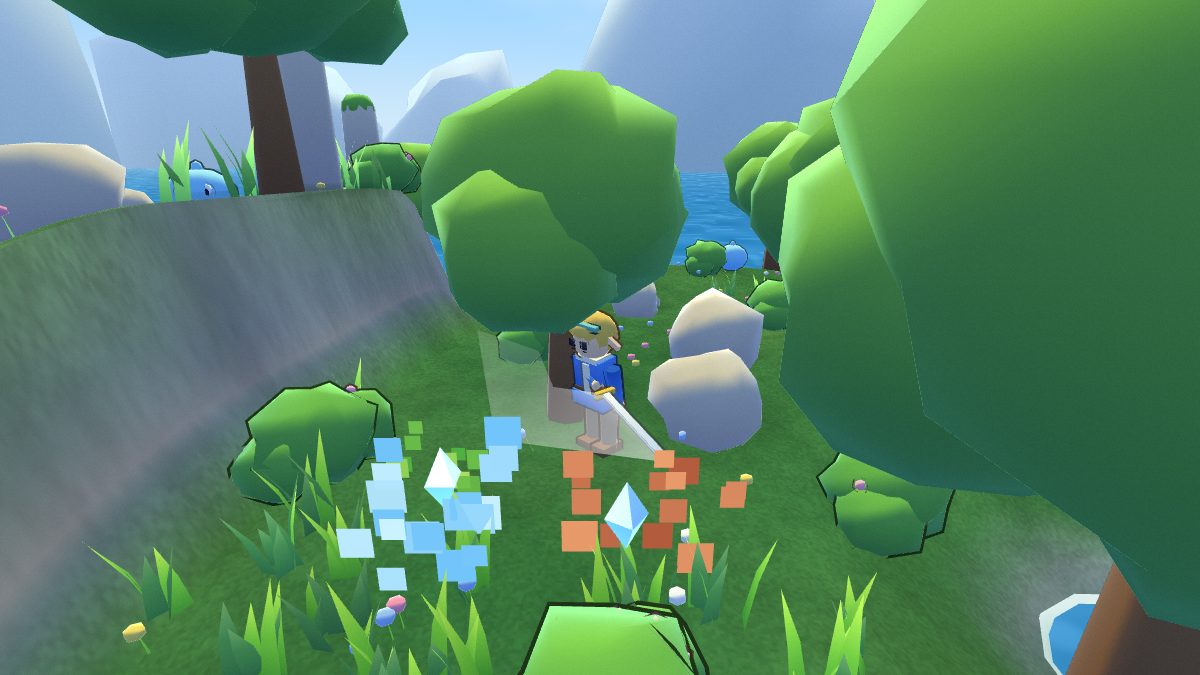
Kids make games like this by chatting with Chip. This one was built by hand to show how far a game can go. Press Esc any time to pause.
The newest AI models are wonderful for making games. But most families end up choosing between two worries.
It feels safe, but it can only do so much. Kids hit the walls fast, and the fun runs out.
You get the full power, then you try to keep watch. Kids can still delete a conversation, and they are always one prompt away from something you would not be comfortable with.
Full creative power with the latest AI, plus rules that kids can't change and a history that nobody can erase. Kids get the wonder. You get peace of mind.
Not sure what to build? Spin the idea machine. Pick one that makes you grin, tell Chip, and watch it turn into something you can play.
A sleepy dragon collects marshmallows before the sun comes up
A parent signs in, names the family, and adds each kid with a username and a PIN or picture password.
Kids chat with Chip while the game runs live beside the chat, with keyboard and controller support.
You see every prompt, every chat, and every flag. Kids can archive a game, but only you can delete.
Urcade is built so you don't have to hover. Here is what actually happens, from the first sign-in to the last prompt. Each one is something the app does today.
Parents create each kid's profile. Kids sign in with the family code, a username, and a PIN or a picture password. There is no kid email address, phone number, or birthday to hand over, and a run of wrong tries pauses sign-in.
The rules that keep Chip kind are built on our server for every message. Kids can't read them, edit them, or talk their way around them. You can add family rules, such as no weapons or nothing spooky, plus words that stop a message before it reaches Chip.
What a kid types is written to a permanent log first. If it can't be saved, the request doesn't run. You get a searchable prompt history you can export.
Messages about self-harm, sexual content, addresses, and phone numbers are stopped before they reach Chip, and a kid gets a gentle nudge toward a trusted grown-up. Uploaded pictures are checked before Chip sees them. Chip's replies and game code are checked too.
Every game plays in a sealed frame that can't use the internet, open links, or talk to strangers. It can only load a short list of approved libraries that Urcade hosts itself.
A flagged message shows up on your parent desk with the exact words, and you can mark it seen. We also email you, and you can switch the emails off for each kid.
Open any kid and you can read the full chat for each game, including games they archived. You can see what Chip said back, not just what your child asked.
A kid can archive a game to clear their shelf. Only a parent can delete a game or a message. The prompt history can't be edited, and it stays even if a game or a kid profile is removed.
Choose when the arcade is open, how many messages a kid can send each day, and a monthly spending cap that works as a hard stop. Finished games stay playable when the arcade is closed.
A game can only be shared if you allowed sharing for that kid. The database enforces it, so a kid can't switch it on from their side.
Set up a family in a couple of minutes and look around the parent desk before your child ever launches.
Urcade is made for the kid, and it works best with a grown-up pulling up a chair. Learning how this technology works is more fun when you do it together, and you end up with a game you can both be proud of.
Spin the idea machine at the dinner table or let your child surprise you. The best games start with a silly what if.
Chip explains each change in plain words, so you both learn how games work while the game grows.
Every game plays with a keyboard or a controller. When you allow sharing, grandparents can play too.
Urcade is made for ages 8 to 14. Younger kids can build with a grown-up beside them, and you can add family rules to match your child.
No. Chip is a game-building coach. If a child asks for something that isn't a game, Chip kindly steers them toward a game version of the idea.
No filter is. That is why Urcade pairs the safeguards with the full prompt history, parent alerts, and rules only you can change. You always have the whole picture.
No. Kids sign in with your family code, a username, and a PIN or picture password. Only parents sign in with an email.
Chip runs on Claude from Anthropic. You choose between Sonnet and Opus for each kid on their settings page.
Parents subscribe and kids play under the family plan. The pricing page has the details, including the free trial.
Kids get a coach and a canvas. Parents get the keys. Everyone gets a game to play.